Friday, November 22, 2013

Information Curation

Ahh! Trying to find  away to keep up with the news and what is upcoming without reading an actual newspaper. The applications that help with this are: Scoop.it, Paper.li, and Prismatic. I know there might be more than those three applications that help users locate articles are particular topic  easily and no added hassle.

Scoop.it is a user friendly application that is easily accessible through other social sites like Twitter or Facebook. I used my Facebook account to use Scoop.it. This application has vibrant colors and uses its layout to draw the user's eyes to the information presented through their topic choice. I used Reading in Schools as my topic and Scoop.it found many articles that I liked. I added several to my page. I had no difficulties with the page because it was self explanatory and  stores the articles effortlessly.

 Here is what my Scoop.it page looks like so far.


Paper.li. How I dislike thee.

I logged in just like I did with Scoop.it, through my Facebook, but I didn't like how everything in the end looked. I went through the steps creating my page with my chosen sources and title easily, but it was when I got to see my page in its entirety.

Here is the final product of my page.


I choose well known newspapers that are  creditable sources like: The New York Times and CNN. I guess I had higher expectations with this site.  I wanted hard hitting articles that inspired me to better and want to be apart of something as soon as I got onto  my Staying Current page.  I guess, not.

This site is just like a logging system of articles from various sources with a lot of advertisement . Paper.li is an organized site, but everything is one the same page based on categories like Politics and Entertainment. To me, it's layout is crammed. It will take more time for me to get used to this site, but it is a site worth using.

As for Prismatic, it is not user friendly. I didn't know what I was doing. I logged it by creating profile, but once I got to page everything was thrown together only is only identified through a topic that is teal colored.  There is no organization other than that. They have interesting articles that will capture readers' eyes easily, but as a user I would like tabs and more organization. I would like it to have more of a personalized feature that what is has.

Here is how my page looks like.


Overall, I prefer Scoop.it because it is user friendly, organized, eye-catching, and  personable compared to the others. Just like me Scoop.it is just simple.


Thursday, November 14, 2013

Screencasts


Using screencasts to help individuals is not as easy as it looks, at least for me. I am a perfectionist and me being me, my screencasts took forever to get done. I got frustrated and grew tired of constantly restarting to get a better take. So, the following clips and information are the final products. EEK!

I started with Screen-O-Matic. It was easy to use because you registered and got your own account which saved your takes from previous times.  I had to do several takes to learn how to  show my viewers step-by-step instructions to do something effectively while talking.  That was proven difficult, but finally I got the hang of it. It was easy to use and straight forward. It is self-explanatory.

 This is my clip from Screen-O-Matic.


However, Screenr is proven difficult. You don't get to register and personalize it like you could with Screen-O-Matic. I couldn't retrieve my embedded link for the clip I did. All I could see was the preview of my link. I tried to login through Google to get the link I needed to post here.  However, it didn't work.  I tried to login using Hotmail. I find myself not trusting this site. I don't see myself using  this app passed this experience. I just don't like that it wants all of our information just to get the video published and still it  still fails to work properly.  It didn't want to publish my clip. So I had to go through creative measure to complete my assigned tasks. I hate sites like this. They are just plain DIFFICULT!!!!


Although, Explain A Website, was not as simple as Screen-O-Matic.  I didn't have to waste time trying to figure out how to use it though.  I like that it ran on a internet page without me having to do it.

But, I struggled with the play back because it did not capture everything I was showing and how to embed it to my blog.  So I couldn't display what I did. Epic Fail!!!

Overall, I prefer the Screen-O-Matic because it was the easiest to use. It didn't require to do nothing, but use the program after I registered.  While the other two, needed something.  Screenr was the most difficult app I had to deal with ever. Just trying to get login to publish my video was laborious. I had to figure it out. I was in front of my computer for hours trying to get it to work. As for the Explain a Website, I had to wait for it to export for me to get anything out of my kiddos. 

Thursday, November 7, 2013

Playing with Words


Words. How English teachers love words. I became extremely giddy to complete task. I hope these sites that will create my word portraits are easy and navigable without to much hassle.

First up, Wordle.

Wordle: Untitled

I did like it,  but what I didn't like took OVER.

Like:
1. Created the cloud for me
2. Used my words from my statement

Dislikes:
1. I couldn't choose the words that were the focus
2. Had limited choices.
3. No power about what words make it on to the cluster
4. You couldn't move words around, but use the provided button under the cluster

On to the next, Tagxedo.

 
What I liked about Tagxedo? Well, it was better than Wordle because I was able to choose a shape and had better color palettes. An image can make a site a lot better than not having none, but clusters of words. Images are pleasing to the eye and you have to read " The House of Hades" by Rick Riordan to figure out why I chose this animal. The book is worth finding out!!!

Contiuning, Tangul.

Get Adobe Flash player


This is my favorite because it had more options and more of creative input than the others. I, personally liked this because I was the one in charge on how I wanted my cloud to look. I chose the words that went in or out of the cloud. I choose the colors I wanted. I didn't have to settle of a particular color palette. I also had to register and sign in. My creation was  saved on my account. I didn't have to save it to my computer only. This is the ONE for me.

~*~*~*~*~*~*~*~*~*~*~*~*~*~*~*~*~*~*~*~*~*~*~*~*~*~*

Reading is my way to relax and October was the month were all of the books I was waiting for were released. The one book I finished this past weekend was "The House of Hades" by Rick Riordan.

Here is my first Quipio.

Then, my second.


 I am just warming up. I didn't know that I had a lot to say about various things. Here are my examples from ReciteThis.


So, Quipio or Recite This.

I choose Quipio because it was easier for me to use because I have an account and I was able to transfer my quotes easier. My quotes were in my photos  area and ready to send.

While, Recite This was easier to use, but was limited on templates to use and I could only share my design in four different ways and Blogger wasn't an option. So I had to take a picture of my work and send it to myself to upload to my blog. Too many unnecessary steps. Simple the better.

Using these applicatons can allow students to freely express themselves thoughtfully without any added pressure. If a student read a book and choose one quote from that book that meant something to them and designed one of these images. We will know as teachers what the student thought of the book. It could even be used as prompts to get students writing. Getting students to use technology is not the problem, it is getting them to think for themselves that is. Using these application in class in more can help prompt them to do so. Students will be doing the work, not the teacher.

Thursday, October 31, 2013

Cartoons and Comics

I never thought of myself as an artist or even a comic book creator! However, this entry is opening a colorful feature to digital expression.

Here is what I did!

It


I first used, ToonDoo.  I liked the site, but it took forever for me to sign up due to email complications. And finally when I did, the complications ensued. I had to figure out how to create a comic strip, by messing around with the tabs and its features. I learned first hand what the site could do and had to figure out how to locate the embed feature to share my toon with you all.

Although, my comic adventures continue with Pixton.


Pixton, was easier to use and navigate. But, more to choose from. I got caught up in my comic when I realized I went over the standard four box comic. I was busy with my storyline. I had fun! Besides needing to confirm my email address before I could access the embed button, I had no real problems. So far, Pixton is in the lead.

On to the last comic app, MakeBeliefsComix.


I liked that I did not have to register to use the site, but not being able to embed my comic was a major setback. I could only use THREE boxes to tell my story. I hated it! The boxes did not allow for much to be done in the box. Even, the dialogue boxes were small and hard to read. This is the worst comic app in my mind because everything was scarce. I, the minimalist, had a problem with its selection and layout. I wanted more!

However, Tellagami helped ease the pain of disappointment. It is easy to use. You are given a speaking or written option for your character. It is able to be use in various situations and environments because it is so versatile.


I like this app because my ESL students will benefit from it. It is like having someone speaking on your behalf. They share your thoughts and what you know. It also will benefit shy students that need a little help speaking in class. I liked it.

These comic apps would help students express their thoughts and ideas from passages, excerpts, and novels easily. It makes the assignment less threatening and still assesess what the student knows because they have to create the comic strip from the bottom up. There is still assessment still being conducted, but, in a way a student can shine. I cannot wait to try this in class.

Wednesday, October 23, 2013

Online Book Communities

I love books, but I never thought I could share my love for them through online book communities.  The suggested online book communities are: Goodreads, LibraryThing, Shelfari, Booklikes, and Biblionasium. I hope my shelves help people fall in love with reading, just like me.
 Fingers crossed!

Goodreads is a site that is user-friendly, a time saver, and manageable. I didn't have to figure out this site like I had to with others. Identifying  what I read, currently reading, or to read is fairly easily. I didn't have to go in one -by-one personally to change the category.  It is my favorite so far. I like easily manageable sites!


LibraryThing is a site that is well-organized and has everything you need on your homepage.  It has  add books, your bookshelf , and recommendations for you on your homepage. There is no hide and seek going on with this site. Everything is easily found by tabs and a thorough homepage.


Shelfari was the most complicated site I have come across so far because I had to go and edit every book on my shelf to mark  it as "READ!" I had to go through many steps to set up my profile. I am not even done because I wouldn't share friends and facts about the books I read. I only reached 65%.  Here is what I did on this site.


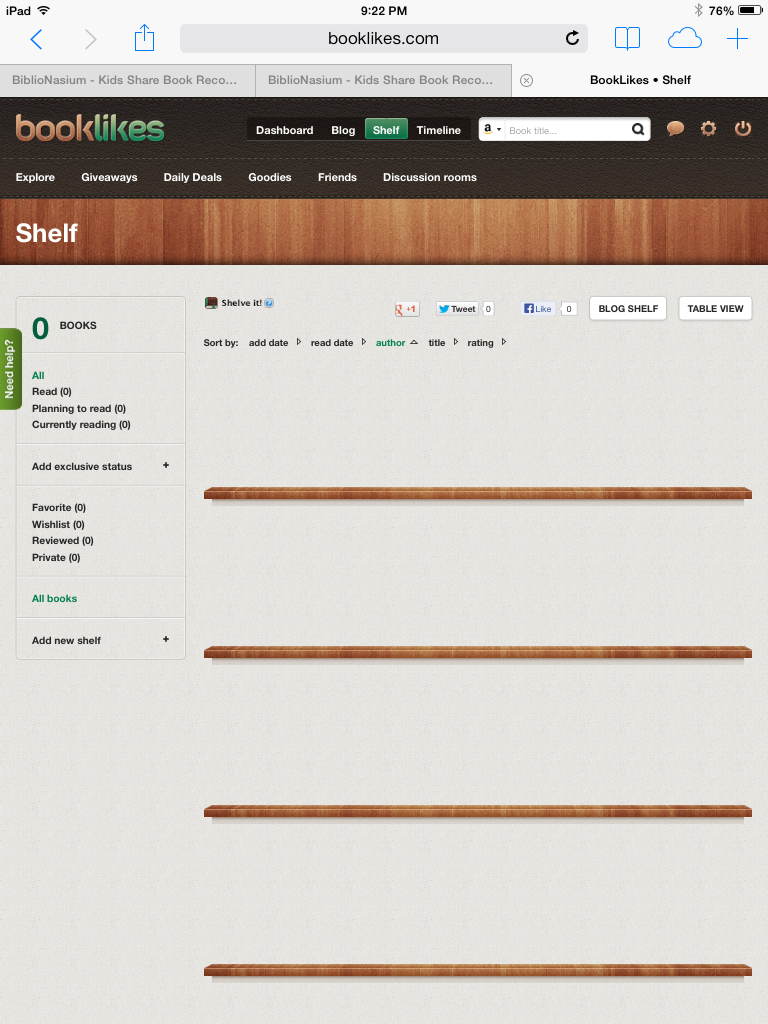
Booklikes is NOW the toughest sites I had to join to share my books. First, it couldn't load and  refresh took forever to update my profile.  It also took more time to actually have a decent  blog, but when it came to create my shelf I hit a dead end. I couldn't figure out how to add books to my shelf. So it is bare. Epic fail!!! After an hour, I FINALLY FIGURED IT OUT!!!!!


As for Bibionasium, it showed me an option for my ESOL students. It has been difficult to find children books to use in class to help them acquire language and vocabulary while learning the structure of English.  I cannot build 25 books to use with my students because I don't want to overwhelm them with the number and how much they have to read. I want to build it within in time because I want to use this app in class. It is a bright and user friendly app that can help me reach my students to the max.


To close this entry, I choose Biblionasium and Goodreads because they are easy to use and would not take a lot of class time to use and show students. I didn't have to roam the website to figure it out, so I know students would not get frustrated using these two sites.

 I personally will keep up with Goodreads because it everything I like: it is easy, pleasing  to the eyes, and organized. No complaints over this site, so I choose it.

Friday, October 18, 2013

Podcasts

Oh, Man! This week is full of surprises. I found out that recording is hard and I sound different.  It took me several tries to get a recording that I am somewhat pleased with.  In my podcast, I try to get my students to read Divergent by Veronica Roth. I hope I am successful because it is an awesome read.

The app I used first was Soundcloud and here is the final product. It was easy to use too.


Let's see if the other are as easy as the first.

Audioboo was more difficult because I didn't know if I was recording or not. I tried to  preview my recording and nothing happened. I tried and tried, and here is what I was able to create.

From the all three, PodOmatic was my least favorite because I had to go through five steps to publish my podcast.  I want easy, not difficult or time consuming apps.  However, this is my podcast using it.


In my opinion, I like Soundcloud the best.

Friday, October 11, 2013

Webbing and Mindmapping

Mindmapping is a new strategy I never heard of that can benefit students in the long run. 

To demonstrate this method I will be using Spicynodes, Popplet, and Wisemapping to display what the article, " Mind Mapping as a Teaching Resource," written by Sarah Edwards and Nick Cooper, had to say.

This article is an advocate for student learning based on what they know and not what can be memorized and chosen on a multiple choice test.

I start my technological journey with Spicynodes.  Let's see how it goes.

It is not starting off well because I cannot figure out how to get my main topic in the middle and not off to the right side.  Despite, the frustration it took time to create a mind map using this application.


What I don't like about Spicynodes is that I cannot see everything I put in at once. I have to click on one topic for its details to appear. It didn't distinguish the different elements in color as the article said either.

Overall, it was okay, but it is not in running to be one of my favorites.

*********************

On to the next, Popplet.

As soon I entered the website color manifested. I liked it already. I love color and it's easy on the eyes.


The format was easier to handle and use. However, it does not have spell check. I had to be careful with my fingers. EEHHHH! 

Although, it is my favorite so far.

**************************

AHHH, the problems begin with Wisemapping. First, I entered Wisewebbing instead of the actual name.  And  when I entered the real website I have no idea where to start. I clicked on  "new" and a black screen appears with nothing. I clicked on "new" again and nothing happened. I had to  use Safari to get  going.

As I am using the application,  I realized it is more complex than the others. You have more control over your map because you can go in-depth and create it how ever you like, but I believe simple is better. It is a less of a headache.


This format took the longest in everything. I like what it does, but the question is....

Do I want to spend two hours doing this?

The answer is no. I believe it is  not user friendly. I had to watch the YOUTUBE video to figure it out.

That alone was frustrating.

The one I prefer is the second one, Popplet. It is colorful and user-friendly. That means it can be student friendly. Things can get done a lot faster on that application than on the others.

Edwards, S. & Cooper, N.  Mind Mapping as a Teaching Resource. (2010).  The Clinical Teacher. Blackwell Publishing. 7:236-239.